
 |
| LESSON OVERVIEW
The main objectives of this ESL lesson on digital devices are to:
- discuss the use of digital devices;
- practise vocabulary for tech-related activities;
- give opinions and predict future technology trends.
Students talk about their experiences using different devices, explore words related to everyday technology (e.g. software, browsers, files) and work with useful collocations (e.g. forward an email, take a screenshot, reset a password). They discuss common digital activities, share opinions on tech advice and work in pairs. Students also collaboratively create a story and discuss the problems and the future of devices.
60 minVocabulary LabUnlimited Plan
This is a Vocabulary Lab worksheet. With it, students are introduced to a set of vocabulary on a specific topic and practise it through controlled activities, speaking tasks and games. Learn more about it here.
WARM-UP AND VOCABULARY
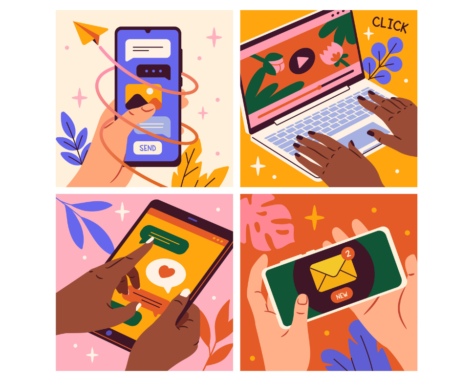
This ESL lesson on digital devices starts with a warm-up. Students look at images of people with different devices (PC, smartphone and laptop). They say two things they usually do on each of them. After that, students read activities involving the use of devices. They match words (e.g. software, touchscreen, autocorrect) with their corresponding examples. Next, students say which activities they would usually do on a smartphone and which on a PC or a laptop. Moving on, they complete questions about experiences with digital devices. Then, students discuss the questions. Afterwards, they match the halves of statements about everyday tech use (e.g. Last night, I stayed at home and streamed a film on Netflix.).
COLLOCATIONS AND DISCUSSION
In this part of this ESL lesson on digital devices, students look at sets of collocations related to everyday tech use (e.g. attach a file, stream music, scroll social media). They cross out the incorrect collocation in each set. Following that, students choose activities from the previous task and talk about their experiences doing them. Afterwards, they complete the gaps in sentences containing advice on using everyday technology (e.g. Don’t ever connect to public Wi-Fi because it’s not safe.). Moving on, students work in pairs. They look at various titles (e.g. Gary’s new laptop) and choose one to create a story. Students take turns to add one sentence each time, using the target vocabulary from the lesson. Finally, they choose three digital devices (e.g. a games console) and discuss their current capabilities, future potential and possible problems. Students use the target vocabulary.
HOMEWORK/REVISION
This ESL lesson on digital devices also includes an additional task that you can use as homework or revision. In the task, students write sentences that include the target words from the lesson. The task is available in the teacher’s version of the worksheet. You can print it and hand it out to your students. It’s also included in the e-lesson plan.
WORKSHEETS
Subscribe to unlock these and many other Standalone lesson lesson plans with the Unlimited plan
Subscribe




Comments