
Prices rise in 5 days. Subscribe now to keep today’s price for as long as you stay with us. Subscribe →

Digital devices

Title separator

Vocabulary
Lab

ESL lesson on digital devices

This is a standalone lesson but it can also be used as part of the set titled:

LESSON OVERVIEW

The main objectives of this ESL lesson on digital devices are to:

  • discuss the use of digital devices;
  • practise vocabulary for tech-related activities;
  • give opinions and predict future technology trends.

Students talk about their experiences using different devices, explore words related to everyday technology (e.g. software, browsers, files) and work with useful collocations (e.g. forward an email, take a screenshot, reset a password). They discuss common digital activities, share opinions on tech advice and work in pairs. Students also collaboratively create a story and discuss the problems and the future of devices.

B1 / Intermediate45 min
60 min
Vocabulary LabUnlimited Plan

This is a Vocabulary Lab worksheet. With it, students are introduced to a set of vocabulary on a specific topic and practise it through controlled activities, speaking tasks and games. Learn more about it here.

WARM-UP AND VOCABULARY

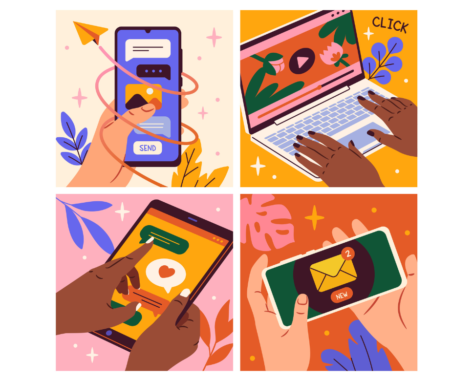
This ESL lesson on digital devices starts with a warm-up. Students look at images of people with different devices (PC, smartphone and laptop). They say two things they usually do on each of them. After that, students read activities involving the use of devices. They match words (e.g. software, touchscreen, autocorrect) with their corresponding examples. Next, students say which activities they would usually do on a smartphone and which on a PC or a laptop. Moving on, they complete questions about experiences with digital devices. Then, students discuss the questions. Afterwards, they match the halves of statements about everyday tech use (e.g. Last night, I stayed at home and streamed a film on Netflix.). 

COLLOCATIONS AND DISCUSSION

In this part of this ESL lesson on digital devices, students look at sets of collocations related to everyday tech use (e.g. attach a file, stream music, scroll social media). They cross out the incorrect collocation in each set. Following that, students choose activities from the previous task and talk about their experiences doing them. Afterwards, they complete the gaps in sentences containing advice on using everyday technology (e.g. Don’t ever connect to public Wi-Fi because it’s not safe.). Moving on, students work in pairs. They look at various titles (e.g. Gary’s new laptop) and choose one to create a story. Students take turns to add one sentence each time, using the target vocabulary from the lesson. Finally, they choose three digital devices (e.g. a games console) and discuss their current capabilities, future potential and possible problems. Students use the target vocabulary.

HOMEWORK/REVISION

This ESL lesson on digital devices also includes an additional task that you can use as homework or revision. In the task, students write sentences that include the target words from the lesson. The task is available in the teacher’s version of the worksheet. You can print it and hand it out to your students. It’s also included in the e-lesson plan.

WORKSHEETS

Comments

Title separator

Leave a Reply

  1. Tami Jane

    Why can’t you scroll a page?

    1. Kinga

      Hi! “Scroll a page” isn’t a natural expression in English. Instead, we say “scroll down the page,” “scroll through the page,” or simply “scroll down,” depending on the context.

  2. CantonesePete

    Great lesson — really useful for all students. Congrats again to the ESL Brains team. I don’t know how you keep up such a high level of work!

  3. lorettamigani

    The collocations in exercise 5 need to be updated. With smart TV’s and new social media they are incorrect eg I can change the settings on the smart tv,

    Thanks

    1. Kinga

      Hi there! The task asks students to cross out the incorrect collocation in each point. The collocation you’re referring to, “change the settings on your TV”, is marked as correct. Hope it’s clear now!

Browse other materials recommended for you

Title separator
wearable technology
B1 / Intermediate | B2 / Upper Intermediate
Standard Lesson 60 min

Smart and wearable

Technology

Explore wearable technology with this lesson. Students watch videos about smart glasses, learn word endings and word stress, and play a guessing game about wearables.

convenience culture
B1 / Intermediate | B2 / Upper Intermediate
Speaking Class 45 min / 60 min

The convenience culture

Lifestyle Technology

Discuss convenience culture with this lesson. Students watch a video about a device that combines shopping and food ordering, explore the Convenience Paradox and review vocabulary for talking about self-service and automation.

reading lesson about smartphones
B1 / Intermediate
Reading Corner 60 min

The right age to get a smartphone

Lifestyle Technology

Try this reading lesson about smartphones! Students review vocabulary related to responsibility and online behaviour, read an article about the right age for a first phone and evaluate rules parents might set.

talk about smartphone habits
A2 / Pre‐Intermediate | B1 / Intermediate
Speaking Class 45 min / 60 min

Are we tired of smartphones?

Lifestyle Technology

Talk about smartphone habits with this lesson! Students watch a video about swapping a smartphone for a dumb phone, compare the two and review useful vocabulary about technology and devices.

past predictions
B1 / Intermediate | B2 / Upper Intermediate
Standard Lesson 60 min

I didn’t think it would become popular (past predictions)

Grammar Technology

Talk about past predictions! Students review grammar for describing predictions people made in the past, watch a 2001 news report about mobile phones and rephrase historical quotes about technology.

discussing good and bad designs
B1 / Intermediate
Standard Lesson 60 min

Good and bad designs

Lifestyle Technology

Engage students in discussing good and bad designs with this lesson! They practise useful collocations, watch a video about a hybrid object and create their own multi-functional product.

speaking lesson on posting online
B1 / Intermediate | B2 / Upper Intermediate
Speaking Class 45 min / 60 min

Think before you post

Global Issues Technology

Discuss the impact of posting videos online! Students talk about online content, privacy and consent. They watch a video segment about rules on filming in public and do a vocabulary task to practise useful phrases.

talking about translation
A2 / Pre‐Intermediate | B1 / Intermediate
Standard Lesson 60 min

Translation and tech

Technology

Engage in talking about translation with this lesson! Students practise phrases for discussing translation tools, watch a video about real-time translation on ChatGPT and read a text about a modern type of translation.

ESL lesson on farming
B1 / Intermediate | B2 / Upper Intermediate
Standard Lesson 60 min

Smart farming

Global Issues Technology

Discuss modern agriculture with this ESL lesson on farming! Students share their perspectives, watch a video excerpt on farming technology and review farming vocabulary.

Show more lessons

Questions

Title separator

Is there a minimum subscription period if I choose a monthly subscription?

No, there's no minimum required number of subscription months. You can cancel any time you want. Basically, you can sign up and then cancel your subscription the next day, which will mean you have access for 1 month and won't be charged again.

What currencies can I pay in for my subscription?

Our default currency is USD (American dollar), but you can also pay in EUR (euro), GBP (British pound sterling) or PLN (Polish zloty). You can change the currency you want to pay in at the Pricing page before selecting a subscription plan.

How can I edit an e-lesson plan?

You can get your own editable copy of an e-lesson plan and make changes to it. To do so, either (1) make a copy of it on your Google Drive (preferable method) or (2) download it in a Powerpoint format (but formatting might be a bit off so we can’t guarantee that it will work well).
Read more FAQ
ESL Brains Assistant
What are you looking for today?
Tell me your students' level and interests and I'll point you to relevant lessons.

Your chat history will be cleared.

Close
Title separator

ESL Brains

Forgot password?
or continue with
Title separator
Title separator
Close