LESSON SET OVERVIEW

With this lesson set, your students will:

  • learn the differences between Present Perfect and Past Simple,
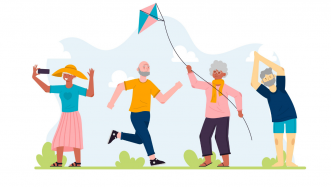
  • watch a video and discuss active lives of elderly people
  • discuss conversations people have when they first meet,
  • engage in sharing experiences using Present Perfect and Past Simple,
  • watch a video about the first conversation between people.

With this lesson set, students have plenty of opportunities to learn the differences between Present Perfect and Past Simple while doing various activities and discussing interesting topics.

This is a lesson set. Use the lessons in the set in the suggested order. Learn more about sets here.

Each lesson in the set is also a standalone lesson.

Lesson 1 Students explore Present Perfect and Past Simple
Present Perfect and Past Simple
Standard Lesson 60 min Free

You’re never too old for great things

Grammar Lifestyle

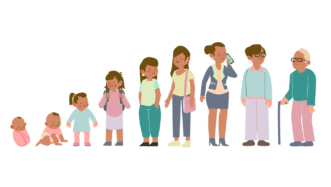
Students learn the differences between Present Perfect and Past Simple through reading, video activities, and discussions. They watch a video and discuss the active life of a 78-year-old man. Students also imagine their lives in their 80s.

Lesson 2 Students practise Present Perfect and Past Simple more
sharing experiences using Present Perfect and Past Simple
Standard Lesson 60 min Unlimited Plan

Sharing experiences (Present Perfect and Past Simple)

Grammar Lifestyle

Students revise the use of Present Perfect and Past Simple and discuss how to start and end a conversation. They watch a video about people who have just met and do a role play in which they have a first conversation with their partner in different situations.

Comments

Title separator

Leave a Reply

  1. lorettamigani

    Hi,

    Thanks for all the lesson plans. I have noticed that my students are struggling with the new fonts and I was wondering if there’s a way to change that? Thanks

    1. Ewa

      Hi! Thanks for the comment.
      We are not planning to change the fonts in the foreseeable future.

  2. Fernando Pereira

    I’m a private tutor (one-on-one online lessons), I’ve just become a subscriber and am starting to explore the lessons. Very nice job here. The video on lesson 2 was especially moving and I’m sure it will also serve as a source for discussions with my students. Really nice of you guys to make such rich content available for us.

    1. Ewa

      Thanks! We’re glad you find our material useful 🙂

  3. Fernando Pereira

    Oh since I’m already commenting here, if I might have this question cleared up: can I use the lessons on an online recorded course? Like a complete English course with recorded classes? How about for youtube public video classes?

    1. Ewa

      Please reach out to us at [email protected] for any questions you might have regarding copyright issues.

  4. Thalisson Guerra

    Love the lesson, but the video at the beginning is annoying.

Browse other sets for this level

Title separator
A2 / Pre‐Intermediate | B1 / Intermediate
2 lessons

What’s on your plate?

General

Provide students with the opportunity to practise food vocabulary. They will conversations, dishes, play a game and learn phrases to talk about likes and dislikes.

B1 / Intermediate
2 lessons

It’s old and used but I love it!

Grammar Lifestyle

Encourage students to talk about old and second-hand items and learn ‘so’, ‘neither’ and auxiliary verbs to show agreement.

B1 / Intermediate | B2 / Upper Intermediate
2 lessons

You’ve lived abroad, haven’t you?

General Grammar

Teach students question tags! In the first lesson, they practise using question tags in the context of geography and history, and in the second lesson, the context is the experience of culture shock.

B1 / Intermediate | B2 / Upper Intermediate
2 lessons

Online life

Lifestyle Technology

Engage students in a conversation about social media! Students talk about online habits and explore vocabulary. They also discuss how to manage children’s online behaviour and talk about location sharing and tracking.

A2 / Pre‐Intermediate
2 lessons

Describing people

General

Encourage students to describe people’s appearance and explore filler words! They also learn and practise asking and answering different questions with the verb ‘like’.

B1 / Intermediate | B2 / Upper Intermediate
2 lessons

What life used to be like

General Grammar Lifestyle

Encourage students to talk about the past with this set! They practise using ‘used to’ and ‘would’ while talking about their life when they were children as well as people’s lives in the ‘90s.

B1 / Intermediate | B2 / Upper Intermediate
3 lessons

A crime has been commited

General Grammar Technology

Help students learn to use passive voice in different tenses! Students also talk about different crimes and report some news.

B1 / Intermediate
2 lessons

Past (Perfect) stories

General Grammar

Help students understand and practice Past Perfect with this fun lesson set! Students also talk about objects from the past, learn prepositional phrases and watch two videos.

B1 / Intermediate
2 lessons

Discussing the future

Grammar Lifestyle Technology

Encourage students to learn future structures! With this two-lesson set, students will practise Future Simple, Present Continuous and ‘going to’ to talk about the future. They will also learn functional language to talk about plans.

Show more lessons

Questions

Title separator

Is there a minimum subscription period if I choose a monthly subscription?

No, there's no minimum required number of subscription months. You can cancel any time you want. Basically, you can sign up and then cancel your subscription the next day, which will mean you have access for 1 month and won't be charged again.

What currencies can I pay in for my subscription?

Our default currency is USD (American dollar), but you can also pay in EUR (euro), GBP (British pound sterling) or PLN (Polish zloty). You can change the currency you want to pay in at the Pricing page before selecting a subscription plan.

How can I edit an e-lesson plan?

You can get your own editable copy of an e-lesson plan and make changes to it. To do so, either (1) make a copy of it on your Google Drive (preferable method) or (2) download it in a Powerpoint format (but formatting might be a bit off so we can’t guarantee that it will work well).
Read more FAQ
Title separator

ESL Brains

Forgot password?
or continue with
Title separator
Title separator
Close icon
Looking for the perfect gift? Give the gift of ESL Brains access!
Gift of ESL Brains access