Web experience

Title separator

Vocabulary - activities on websites

LESSON OVERVIEW

This is a newsletter-exclusive lesson plan that is only available to our newsletter subscribers. Thanks for subscribing!

Enjoy teaching with ESL Brains 🙂

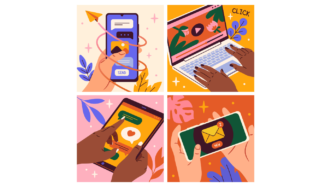
In this lesson students watch a video, talk about the internet and learn some vocabulary related to what we do on websites. 

B1 / Intermediate
B2 / Upper Intermediate
60 minStandard LessonFree

VIDEO & DISCUSSION

At the beginning of the lesson students brainstorm the words they associate with the lesson title. Then, they watch the video for the first time and say what it advertises. Before the second viewing, students need to match halves to create examples of the things people do on websites (e.g. provide personal data, disable an ad blocker, accept terms and conditions). After that, they watch the video again and tick the things from the previous exercise that the woman in the video is asked to do. Finally, students spend some time talking about websites. They say what irritates them about them, how user-friendly some websites are, and when or why the internet users do certain things, like subscribing to a newsletter or accepting cookies. 

VOCABULARY

In this part of the lesson, students read four gapped comments and decide what kind of website each of them might refer to (e.g. an online magazine, a government website). Then, they have to complete the gaps in the comments with the provided words (e.g. content, navigate, unsubscribe). Next, they discuss some questions about the internet and websites. They say whether they rate websites or apps, or leave comments there. They also share what content they usually look for online and how easy or difficult to navigate some websites are. Finally, students do a revision task which the teacher can also choose to do at the beginning of the next lesson. Students need to think how pairs of words and phrases might be connected (e.g. access and ad blocker). They can either find a connection or create a sentence with both the words or phrases. 

WORKSHEETS


Comments

Title separator

Leave a Reply

  1. Maria

    Great lesson plan! Thank you!

    1. Ewa

      Thanks, Maria 🙂

  2. Kasia Stępień

    there’s no file with ppt

    1. Stan

      Kasia, we fixed that bad link and you can access the e-lesson plan now.

    2. AngieMoMa

      Thanks it’s great

  3. Grens

    have downloaded the full lesson. Looks great and the vocabulary ideas will be very useful.

    1. Ewa

      Thank you! Hope your students enjoy it 🙂

  4. [email protected]

    Looks great. A lesson about an annoying part of websites we all can relate to.

    1. Ewa

      We sure can! Thanks 🙂

  5. [email protected]

    Thanks a million for you great lesson plans.

    1. Ewa

      Thanks, it’s our pleasure 🙂

  6. Weetum

    Great lesson packed with useful vocab.
    Thanks !

    1. Ewa

      Really glad to hear that 🙂

  7. Adriana Ines

    THANK YOU! GREAT LESSON!

    1. Ewa

      Thanks! I’m glad you like it 🙂

  8. Valentina-Englishfan

    The lesson plan looks great! Thanks!!!

    1. Ewa

      Thank you! Hope your students enjoy it 🙂

  9. VickiH

    Looks like it’s going to be a great introduction to my Digital Literacy Week. Can’t wait to use it. Thanks, Vicki

    1. Ewa

      Sounds like a great idea 🙂

  10. Sgyorkos

    very funny lesson plan. First you are just wondering what is happening there, but in the end it all becomes clear.
    thanks for this unique piece.

    1. Ewa

      Awesome, thanks!

  11. LG Teacher

    I’m a newish teacher starting to build up my own online practice. I’ve just subscribed to your newsletter and used this lesson plan. It really engaged my student. Thank you!

    1. Ewa

      Fantastic! Thanks for sharing 🙂

  12. cristy

    Thanks, the excellent plan and activities.

    1. Ewa

      I’m glad you like it!

  13. Hermes

    Hopefully, this is the kind of subject matter that will interest my inquisitive learners. Thank you for the lesson plan.

    1. Ewa

      You’re very welcome. Thanks for your comment!

  14. Наталья

    Thank you!

    1. Ewa

      It’s our pleasure 🙂

Browse other materials recommended for you

Title separator
speaking lesson on posting online
B1 / Intermediate | B2 / Upper Intermediate
Speaking Class 45 min / 60 min

Think before you post

Global Issues Technology

Discuss the impact of posting videos online! Students talk about online content, privacy and consent. They watch a video segment about rules on filming in public and do a vocabulary task to practise useful phrases.

talking about translation
A2 / Pre‐Intermediate | B1 / Intermediate
Standard Lesson 60 min

Translation and tech

Technology

Engage in talking about translation with this lesson! Students practise phrases for discussing translation tools, watch a video about real-time translation on ChatGPT and read a text about a modern type of translation.

ESL speaking lesson about celebrities
A2 / Pre‐Intermediate | B1 / Intermediate
Speaking Class 45 min / 60 min

Life of a celebrity

General Lifestyle

Talk about the lives of famous people in this ESL lesson about celebrities! Students share opinions, explore how celebrities live and watch a video about a retired celebrity who now lives on a farm.

ESL lesson on eating out
B1 / Intermediate
Vocabulary Lab 45 min / 60 min

Let’s eat out!

General

Work on dining situations with this ESL lesson on eating out! Students talk about going out to eat, review useful vocabulary and share experiences. They also listen to restaurant dialogues and role-play dining scenarios.

ESL lesson on farming
B1 / Intermediate | B2 / Upper Intermediate
Standard Lesson 60 min

Smart farming

Global Issues Technology

Discuss modern agriculture with this ESL lesson on farming! Students share their perspectives, watch a video excerpt on farming technology and review farming vocabulary.

useful role-play situations
A2 / Pre‐Intermediate | B1 / Intermediate
Standard Lesson 60 min

New place, new start

General

Practise useful language for moving to a new place! In this worksheet, students talk about housing, money, getting around and neighbours. They listen to short conversations and explore real-life dialogues through role-plays.

ESL lesson on UI and UX
B1 / Intermediate
Vocabulary Lab 45 min / 60 min

How user-friendly is this app?

Technology

Learn UI/UX elements with this worksheet. Students practise vocabulary for website and app elements, follow instructions to perform actions on a website or app and discuss annoying UI/UX situations.

phrases for complaints
B1 / Intermediate
Standard Lesson 60 min

Sorry to bother you, but… (making complaints)

Business General

Practise useful phrases for complaints! Students watch a video about complaining in restaurants and explore polite ways to make and respond to complaints. They also role-play complaint situations.

phrases for likes and dislikes
A2 / Pre‐Intermediate | B1 / Intermediate
Standard Lesson 60 min

Pineapple pizza isn’t my thing

General

Talk about favourite dishes with this lesson! Students share experiences, watch part of a video on American presidents’ favourite foods and practise phrases for asking about preferences and expressing likes and dislikes.

Show more lessons

Questions

Title separator

Is there a minimum subscription period if I choose a monthly subscription?

No, there's no minimum required number of subscription months. You can cancel any time you want. Basically, you can sign up and then cancel your subscription the next day, which will mean you have access for 1 month and won't be charged again.

What currencies can I pay in for my subscription?

Our default currency is USD (American dollar), but you can also pay in EUR (euro), GBP (British pound sterling) or PLN (Polish zloty). You can change the currency you want to pay in at the Pricing page before selecting a subscription plan.

How can I edit an e-lesson plan?

You can get your own editable copy of an e-lesson plan and make changes to it. To do so, either (1) make a copy of it on your Google Drive (preferable method) or (2) download it in a Powerpoint format (but formatting might be a bit off so we can’t guarantee that it will work well).
Read more FAQ
Title separator

ESL Brains

Forgot password?
or continue with
Title separator
Title separator
Close icon
Looking for the perfect gift? Give the gift of ESL Brains access!
Gift of ESL Brains access