LESSON SET OVERVIEW

With this lesson set, your students will:

  • practise vocabulary for tech-related activities and tech troubles,
  • watch a street interview about tech pet peeves,
  • discuss the use of digital devices and real-life tech frustrations,
  • give opinions and predict future technology trends.

In the first lesson, students learn vocabulary related to tech and work with collocations. In the second lesson, they use the vocabulary from the first lesson to talk about tech pet peeves and learn useful phrases for discussing tech problems.

This is a lesson set. Use the lessons in the set in the suggested order. Learn more about sets here.

Each lesson in the set is also a standalone lesson.

Be the 1st to vote.
Lesson 1 Introduce vocabulary related to tech activities
ESL lesson on digital devices
Vocabulary Lab 45 min / 60 min Unlimited Plan

Digital devices

Technology

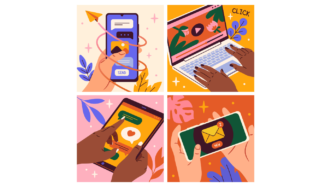
Students explore nouns related to everyday technology (e.g. software, browsers) and work with useful collocations (e.g. forward an email, take a screenshot). They also share opinions on tech advice and collaboratively create a story.

Lesson 2 Provide more opportunities to discuss technology
ESL lesson about tech problems
Standard Lesson 60 min Premium Plan

Tech pet peeves

Technology

Students practise collocations for discussing tech problems (e.g. do an update, dies way too quickly) and watch a video where people talk about their tech pet peeves. Students also talk about statistics, smartphone use and the effects of technology on our daily lives.

Comments

Title separator

Leave a Reply

Browse other sets for this level

Title separator
B1 / Intermediate | B2 / Upper Intermediate
2 lessons

Navigating workplace conditions

Business

In the first lesson of this set, students learn and practise employment-related vocabulary. In the second lesson, students use the vocabulary to discuss employment laws and regulations.

B1 / Intermediate
2 lessons

Talking about clothes

General Lifestyle

Give students comprehensive practice of the topic of clothing! Students learn vocabulary and discuss the idea of minimalist wardrobe.

A2 / Pre‐Intermediate | B1 / Intermediate
2 lessons

What’s on your plate?

General

Provide students with the opportunity to practise food vocabulary. They will conversations, dishes, play a game and learn phrases to talk about likes and dislikes.

B1 / Intermediate
2 lessons

It’s old and used but I love it!

Grammar Lifestyle

Encourage students to talk about old and second-hand items and learn ‘so’, ‘neither’ and auxiliary verbs to show agreement.

B1 / Intermediate | B2 / Upper Intermediate
2 lessons

You’ve lived abroad, haven’t you?

General Grammar

Teach students question tags! In the first lesson, they practise using question tags in the context of geography and history, and in the second lesson, the context is the experience of culture shock.

B1 / Intermediate | B2 / Upper Intermediate
2 lessons

Online life

Lifestyle Technology

Engage students in a conversation about social media! Students talk about online habits and explore vocabulary. They also discuss how to manage children’s online behaviour and talk about location sharing and tracking.

B1 / Intermediate | B2 / Upper Intermediate
2 lessons

What life used to be like

General Grammar Lifestyle

Encourage students to talk about the past with this set! They practise using ‘used to’ and ‘would’ while talking about their life when they were children as well as people’s lives in the ‘90s.

B1 / Intermediate | B2 / Upper Intermediate
3 lessons

A crime has been commited

General Grammar Technology

Help students learn to use passive voice in different tenses! Students also talk about different crimes and report some news.

B1 / Intermediate
2 lessons

Past (Perfect) stories

General Grammar

Help students understand and practice Past Perfect with this fun lesson set! Students also talk about objects from the past, learn prepositional phrases and watch two videos.

Show more lessons

Questions

Title separator

Is there a minimum subscription period if I choose a monthly subscription?

No, there's no minimum required number of subscription months. You can cancel any time you want. Basically, you can sign up and then cancel your subscription the next day, which will mean you have access for 1 month and won't be charged again.

What currencies can I pay in for my subscription?

Our default currency is USD (American dollar), but you can also pay in EUR (euro), GBP (British pound sterling) or PLN (Polish zloty). You can change the currency you want to pay in at the Pricing page before selecting a subscription plan.

How can I edit an e-lesson plan?

You can get your own editable copy of an e-lesson plan and make changes to it. To do so, either (1) make a copy of it on your Google Drive (preferable method) or (2) download it in a Powerpoint format (but formatting might be a bit off so we can’t guarantee that it will work well).
Read more FAQ
Title separator

ESL Brains

Forgot password?
or continue with
Title separator
Title separator