Lesson 1 Introduce the topic of social media
discussing social media
Standard Lesson 60 min Premium Plan

How social media content affects us

Technology

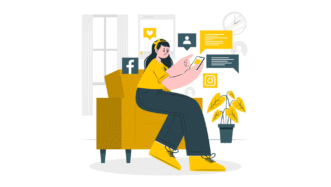
Students learn vocabulary to discuss social media (e.g. go viral, spread misinformation, mental health), discuss the story from the video as well as other social media-related stories and talk about their experience with social media.

Lesson 2 Encourage students to talk about the use of smartphones
talking about digital parenting
Speaking Class 45 min / 60 min Unlimited Plan

Digital parenting

Lifestyle Technology

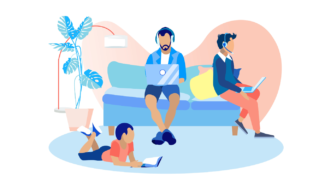
Students talk about parents' and children’s perspectives on smartphones, discuss tracking and other ideas related to digital parenting and do an optional vocabulary task. Encourage students to use the vocabulary from the first lesson in ex. 4 and 5 (slides 11-15).

Comments

Title separator

Leave a Reply

  1. Жанар Дарменбаева

    Very good!

    1. Ewa

      We’re glad you like it!

Browse other sets for this level

Title separator
A2 / Pre‐Intermediate | B1 / Intermediate
2 lessons

What’s on your plate?

General

Provide students with the opportunity to practise food vocabulary. They will conversations, dishes, play a game and learn phrases to talk about likes and dislikes.

B1 / Intermediate
2 lessons

It’s old and used but I love it!

Grammar Lifestyle

Encourage students to talk about old and second-hand items and learn ‘so’, ‘neither’ and auxiliary verbs to show agreement.

B1 / Intermediate | B2 / Upper Intermediate
2 lessons

You’ve lived abroad, haven’t you?

General Grammar

Teach students question tags! In the first lesson, they practise using question tags in the context of geography and history, and in the second lesson, the context is the experience of culture shock.

B2 / Upper Intermediate | C1 / Advanced
2 lessons

Shop till you drop?

Global Issues Grammar Lifestyle

Help students practise talking about habits using ‘will’ and ‘would’! Students talk about collectable toys, as well as fashion or shopping habits, depending on the lesson you choose.

B2 / Upper Intermediate | C1 / Advanced
2 lessons

Being handy around the house

General

Talk to students about fixing broken objects and about DIY projects. Teach them names of tools and useful verbs to talk about what needs to be fixed and changed around the house.

B1 / Intermediate | B2 / Upper Intermediate
2 lessons

What life used to be like

General Grammar Lifestyle

Encourage students to talk about the past with this set! They practise using ‘used to’ and ‘would’ while talking about their life when they were children as well as people’s lives in the ‘90s.

B1 / Intermediate | B2 / Upper Intermediate
3 lessons

A crime has been commited

General Grammar Technology

Help students learn to use passive voice in different tenses! Students also talk about different crimes and report some news.

B1 / Intermediate
2 lessons

Past (Perfect) stories

General Grammar

Help students understand and practice Past Perfect with this fun lesson set! Students also talk about objects from the past, learn prepositional phrases and watch two videos.

B1 / Intermediate
2 lessons

Discussing the future

Grammar Lifestyle Technology

Encourage students to learn future structures! With this two-lesson set, students will practise Future Simple, Present Continuous and ‘going to’ to talk about the future. They will also learn functional language to talk about plans.

Show more lessons

Questions

Title separator

Is there a minimum subscription period if I choose a monthly subscription?

No, there's no minimum required number of subscription months. You can cancel any time you want. Basically, you can sign up and then cancel your subscription the next day, which will mean you have access for 1 month and won't be charged again.

What currencies can I pay in for my subscription?

Our default currency is USD (American dollar), but you can also pay in EUR (euro), GBP (British pound sterling) or PLN (Polish zloty). You can change the currency you want to pay in at the Pricing page before selecting a subscription plan.

How can I edit an e-lesson plan?

You can get your own editable copy of an e-lesson plan and make changes to it. To do so, either (1) make a copy of it on your Google Drive (preferable method) or (2) download it in a Powerpoint format (but formatting might be a bit off so we can’t guarantee that it will work well).
Read more FAQ
Title separator

ESL Brains

Forgot password?
or continue with
Title separator
Title separator
Close icon
Looking for the perfect gift? Give the gift of ESL Brains access!
Gift of ESL Brains access