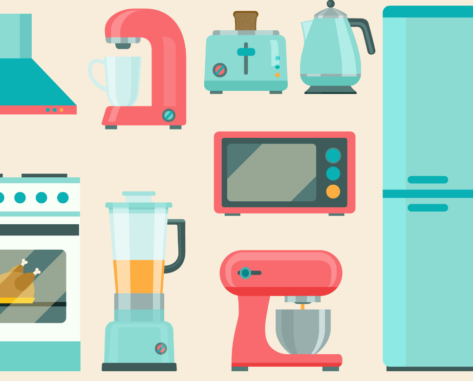
How smart should home appliances be

Title separator

Read at home,
talk in class

ARTICLE: https://eslbrains.com/crc067

LESSON OVERVIEW

The main objectives of this lesson are to:

  • read an article and discuss the advantages and disadvantages of smart appliances;
  • revise and practise vocabulary from the article (adjectives in collocations).

In this lesson, students discuss the pros and cons of smart appliances and review vocabulary, focusing on adjectives in collocations (e.g. obsolete feature, sophisticated technology, likely scenario, etc.). They also imagine making some typical home appliances smart. 

B2 / Upper Intermediate30 minCritical Reading ClubUnlimited Plan

This is a Critical Reading Club worksheet. With this format, students need to read an online article at home and do the exercises in the classroom. Learn more about how to use such worksheets and their benefits in our post.

ACTIVITIES

This lesson starts with a warm-up in which students think of a home appliance they want to buy. They come up with three main features it should have. After that, students look at the disadvantages of smart appliances mentioned in the article (lack of privacy, lack of control, and higher operating costs) and add details about each of them. Then, they read three short descriptions of smart items and think of potential problems or disadvantages they might have. Students also discuss whether the advantages would still make them want to buy those items despite their potential issues. After some reflection, students practise vocabulary by completing adjectives in collocations. Then, they complete the sentences with their ideas (e.g. Speaking of the future of smart devices, the likely scenario is…, etc.). Afterwards, students discuss questions about their perspectives on smart appliances. The lesson ends with an activity in which students work in pairs taking turns to create smart features for the appliances in the pictures. They ask questions to check whether they would like to buy the items. Students also have to use adjectives (e.g. built-in, likely, obsolete, etc.) in the conversation.

ARTICLE

https://eslbrains.com/crc067

WORKSHEETS

Comments

Title separator

Leave a Reply

  1. HiImMikeEnglish

    I love these article-based lessons, great job guys!

    1. Olia

      Thanks, we’re happy you like them 🙂

Browse other materials recommended for you

Title separator
speaking lesson on posting online
B1 / Intermediate | B2 / Upper Intermediate
Speaking Class 45 min / 60 min

Think before you post

Global Issues Technology

Discuss the impact of posting videos online! Students talk about online content, privacy and consent. They watch a video segment about rules on filming in public and do a vocabulary task to practise useful phrases.

will and would for present and past habits
B2 / Upper Intermediate | C1 / Advanced
Standard Lesson 60 min

They just won’t stop playing!

Grammar Lifestyle

Talk about toys from a critical perspective in this lesson! Students review will and would for present and past habits, practise phrases for consumer behaviour and watch a video about the popular toy Labubu.

ESL lesson on farming
B1 / Intermediate | B2 / Upper Intermediate
Standard Lesson 60 min

Smart farming

Global Issues Technology

Discuss modern agriculture with this ESL lesson on farming! Students share their perspectives, watch a video excerpt on farming technology and review farming vocabulary.

talking about spending and saving money
B2 / Upper Intermediate | C1 / Advanced
Standard Lesson 60 min

No-spend trend

Lifestyle

Chat about spending habits and purchase choices with this lesson! Students practise money-related phrases, watch a video about a no-spend trend and share their experiences and opinions.

talking about how devices work
B2 / Upper Intermediate | C1 / Advanced
Standard Lesson 60 min

Do you know how this device works?

Technology

Students engage in talking about how devices work in this lesson! They practise action verbs for devices, watch a video on 3D food printing and imagine new devices to solve everyday problems.

have/get something done
B1 / Intermediate | B2 / Upper Intermediate
Standard Lesson 60 min

I will get it checked!

Grammar Lifestyle

Discuss everyday problems and ways to get them fixed! In this lesson, students practise the structure have/get something done. They watch a video about a repair café, describe photos and share their own experiences.

talking about tattoos
B2 / Upper Intermediate | C1 / Advanced
Speaking Class 45 min / 60 min

What does your tattoo mean?

Lifestyle

Engage in talking about tattoos with this lesson! Students discuss why people get tattoos, watch part of a video where an artist shows his tattoos and share their opinions. They can also do a vocabulary activity to review useful phrases.

ESL lesson on social events
B1 / Intermediate | B2 / Upper Intermediate
Standard Lesson 60 min

Host with the most

Lifestyle

Talk about parties with this ESL lesson on social events! Students share their preferences and thoughts, practise useful phrases for social events and watch part of a video on hosting a party. They also role-play party situations.

ESL lesson on the first conditional
B1 / Intermediate | B2 / Upper Intermediate
Standard Lesson 60 min

Driverless buses (First Conditional)

Grammar Technology

Students discuss driverless buses in this ESL lesson on the first conditional. They watch a video about autonomous buses, share opinions and practise different First Conditional structures. 

Show more lessons

Questions

Title separator

Is there a minimum subscription period if I choose a monthly subscription?

No, there's no minimum required number of subscription months. You can cancel any time you want. Basically, you can sign up and then cancel your subscription the next day, which will mean you have access for 1 month and won't be charged again.

What currencies can I pay in for my subscription?

Our default currency is USD (American dollar), but you can also pay in EUR (euro), GBP (British pound sterling) or PLN (Polish zloty). You can change the currency you want to pay in at the Pricing page before selecting a subscription plan.

How can I edit an e-lesson plan?

You can get your own editable copy of an e-lesson plan and make changes to it. To do so, either (1) make a copy of it on your Google Drive (preferable method) or (2) download it in a Powerpoint format (but formatting might be a bit off so we can’t guarantee that it will work well).
Read more FAQ
Title separator

ESL Brains

Forgot password?
or continue with
Title separator
Title separator
Close icon
Looking for the perfect gift? Give the gift of ESL Brains access!
Gift of ESL Brains access