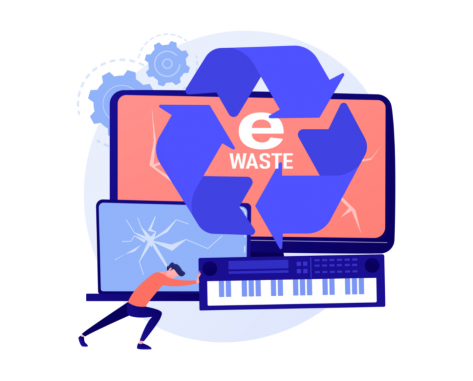
E-waste recycling

Title separator

Vocabulary - processes

C2 vocabulary

LESSON OVERVIEW

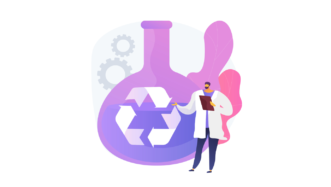
In this lesson, students watch a video about mobile phone recycling, learn some C2 vocabulary related to different processes, and discuss and evaluate some ideas for solving the e-waste problem. 

C2 / Proficiency60 minStandard LessonUnlimited Plan

VOCABULARY

The lesson starts with a warm-up activity in which students discuss what they do with the electronics they don’t need anymore. They also brainstorm the reasons why people replace mobile phones. Then, students do two C2 vocabulary tasks. First, they need to complete sets of three sentences with pairs of words (e.g. component / element, a magnet / adhesive). One sentence in each set can take both words. Then, students read six sentences and have to replace words and phrases in bold with words in the box (e.g. degraded, depleted, discarded). Finally, students discuss what steps some processes might involve. The processes include recycling old cars, disposal of documents and recycling furniture. Students can also talk about any other recycling or disposal processes they are familiar with. In this task, students have to use the vocabulary from the previous exercises. 

VIDEO & DISCUSSION

Before watching the video, students brainstorm what the process of mobile phone recycling might look like. Then, they watch the video and take some notes on three topics covered in it (e.g. traditional methods of recycling phones). The video contains most of the C2 vocabulary students learned in the first part of the lesson. After that, students discuss some questions about the process of recycling phones presented in the video and share what they know about other ideas for reducing e-waste. They also discuss the possibility of ending our reliance on mining. Finally, students do a speaking activity. They look at five ideas for solving the e-waste problem and need to discuss how feasible they are. Students also decide which of them would contribute most to reducing e-waste.

WORKSHEETS


Comments

Title separator

Leave a Reply

  1. Britocin

    I don’t seem to find the worksheets

    1. Ewa

      Hi! This lesson is available in the Unlimited subscription. You can see our plans here. Or, if you want to try out ESL Brains lessons first, check out our free lesson plans.

Browse other materials recommended for you

Title separator
advanced lesson on airports
C2 / Proficiency
Standard Lesson 60 min

A better airport experience

Business Technology

Talk about logistics, problems and solutions with this advanced lesson on airports! Students practise vocabulary for airport operations, watch a video about an alternative passenger transfer method and role-play airport scenarios.

talking about university degrees
C1 / Advanced | C2 / Proficiency
Standard Lesson 60 min

University degrees and the job market

Global Issues

Get students talking about university degrees and job market challenges! They practise phrases for benefits, drawbacks and outcomes, watch a video on why graduates struggle to find work and share their opinions and experiences.

advanced lesson on flags
C2 / Proficiency
Standard Lesson 60 min

What’s the deal with flags?

Global Issues

Discuss patriotism and national identity with this advanced lesson on flags! Students practise useful vocabulary for debates, watch a video on why the UK flag divides opinions and practise expressing opposing views.

talking about delivery
C1 / Advanced | C2 / Proficiency
Standard Lesson 60 min

Signed, sealed and delivered

Business Technology

Get students talking about delivery with this advanced lesson! They practise useful vocabulary, watch a video about a delivery robot and role-play situations involving delivery issues.

ESL lesson on targeted advertising
C1 / Advanced | C2 / Proficiency
Speaking Class 45 min / 60 min

When ads get personal

Business Technology

Talk about ads with this ESL lesson on targeted advertising! Students share opinions and experiences, read about marketing concepts and watch a video on AI in dog adoption campaigns. They also review useful collocations in an extra task.

advanced lesson on AI
C2 / Proficiency
Standard Lesson 60 min

AI music: innovation or infringement?

Technology

Discuss AI in the creative industries with this advanced lesson! Students practise useful language for opinions and debate on AI, watch a video about an AI singer and share their views. 

advanced lesson on de-extinction
C1 / Advanced | C2 / Proficiency
Standard Lesson 60 min

Is de-extinction around the corner?

Global Issues Technology

Discuss the revival of animals with this advanced lesson on de-extinction! Students practise verb phrases connected to genetic engineering, watch a video about an experiment and role-play a meeting about the Jurassic Park idea.

talking about AI
C2 / Proficiency
Standard Lesson 60 min

Agentic AI

Technology

Get students talking about AI with this advanced lesson! They share their views on technology, review adjectives and expressions for discussing AI and watch part of a video about agentic AI.

discussing farming
C1 / Advanced | C2 / Proficiency
Standard Lesson 60 min

Farming: present and future

Global Issues Technology

Get students to discuss farming with this advanced lesson! They practise vocabulary for talking about farming and agriculture, watch a video on AI in farming and discuss future farming scenarios.

Show more lessons

Questions

Title separator

Is there a minimum subscription period if I choose a monthly subscription?

No, there's no minimum required number of subscription months. You can cancel any time you want. Basically, you can sign up and then cancel your subscription the next day, which will mean you have access for 1 month and won't be charged again.

What currencies can I pay in for my subscription?

Our default currency is USD (American dollar), but you can also pay in EUR (euro), GBP (British pound sterling) or PLN (Polish zloty). You can change the currency you want to pay in at the Pricing page before selecting a subscription plan.

How can I edit an e-lesson plan?

You can get your own editable copy of an e-lesson plan and make changes to it. To do so, either (1) make a copy of it on your Google Drive (preferable method) or (2) download it in a Powerpoint format (but formatting might be a bit off so we can’t guarantee that it will work well).
Read more FAQ
Title separator

ESL Brains

Forgot password?
or continue with
Title separator
Title separator