
Will we lose our jobs to machines?

Title separator

Speaking - debate

LESSON OVERVIEW

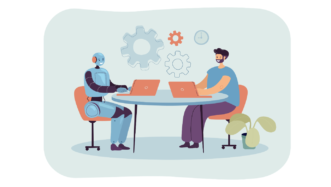
This lesson focuses on the future of work. The big question here is whether robots will take over our jobs or not. During the lesson students will watch a short TED talk by A. Goldbloom called “The jobs we’ll lose to machines — and the ones we won’t”

B2 / Upper Intermediate60 minStandard LessonPremium Plan

The worksheet kicks off with a warm-up speaking task to introduce the topic in which students must discuss which professions have no future and which are on the rise. As the TED talk is only 5 minutes long this worksheet has two listening comprehension tasks: one for general understanding of the speech and second to practice listening for details. What follows is a short  vocabulary gap-filling exercise to practice a few new words from the speech. The next stage has some speaking points to talk over the content of the speech. Finally, students will have to prepare and hold a debate on the key question: will machines steal our jobs.

With the recent development in AI/machine learning/voice recognition, I found that students have different opinions on the subject and the debate usually has to be stopped because we run out of time. Obviously, you can divide the class into smaller groups or hold a class-wide debate, let the students choose their sides or decide yourselves how to divide them or just turn the last task into a discussion topic. Whatever you do is up to you but I found that the warm-up and discussion tasks allow you to see how diverse opinions on the topic you have in the class and then choose your strategy appropriately.

WORKSHEETS

Comments

Title separator

Leave a Reply

  1. JOY ARULAPPAN

    Great lesson content and staged. It is also appropriate to the level.

  2. Djoko

    really bad lesson awful!

    1. Justa

      Can you be more specific in your feedback and tell us what you and your students didn’t like about it? It will definitely help us to improve our future lesson plans

  3. Lydia goold verschoyle

    The only drawback is the video. The speaker is indistinct at times and speaks too quickly, many students have difficulty grasping what is said. For the second, gap fill, listening, I stopped it after each sentence.

    1. Stan

      Thanks for the feedback! I agree that he does speak quite fast and it might be a bit challenging for learners but that’s the beauty of authentic materials – they reflect how people talk in real life.

      1. Steven W

        Completely disagree with the comment about the Australian speaker being indistinct and speaking too quickly. More listening practice needed!

    2. saas saas

      I don’t think that is the problem. That’s real English; the challenge is to expose learners to a variety of speaking style or accents. Let’s make sure we use the video for the right level.

  4. NancyPhan

    Hi,
    Can you update the lesson as the video was released in 2016 and the development of AI is really rocketing.
    Thanks.

    1. Stan

      You’re right – we could look for a newer video! However, paradoxically, the situation hasn’t changed that much and all that was said by Anthony Goldbloom, the TED speaker, is still valid and the latest solutions, such as ChatGPT-4 operate with the same priniciples as described in that video.

  5. Steven Wood

    We loved this lesson plan. The video was very interesting and the vocabulary also. It would be great to have an updated version as this is a little bit outdated now. Include Generative AI, and also a part on the moral and ethical side of AI would be an added bonus. Thank you

    1. Stan

      Hi Steven! Thanks for the comment. Really great to hear that you and your students enjoyed this lesson. And yes, it’s true, this lesson and the video \is from the pre-GenAI era, but we purposefully didn’t update this lesson but rather create new ones that focus more on GenAI, such as Have you met the new Dalí? or ChatGPT – a blessing or a curse? just to list lessons on the same level. Look for more AI-related lessons here.

      1. Steven Wood

        Hi Stan, you’re right. There are more updated lessons I hadn’t realised. Maybe it would be a good idea to include the lesson date in the filter part of the website, along with the level and type of lesson.

        Very nice site and extremely helpful on a tight schedule, by the way. Thanks a lot.

Browse other materials recommended for you

Title separator
speaking lesson on posting online
B1 / Intermediate | B2 / Upper Intermediate
Speaking Class 45 min / 60 min

Think before you post

Global Issues Technology

Discuss the impact of posting videos online! Students talk about online content, privacy and consent. They watch a video segment about rules on filming in public and do a vocabulary task to practise useful phrases.

ESL lesson on farming
B1 / Intermediate | B2 / Upper Intermediate
Standard Lesson 60 min

Smart farming

Global Issues Technology

Discuss modern agriculture with this ESL lesson on farming! Students share their perspectives, watch a video excerpt on farming technology and review farming vocabulary.

talking about how devices work
B2 / Upper Intermediate | C1 / Advanced
Standard Lesson 60 min

Do you know how this device works?

Technology

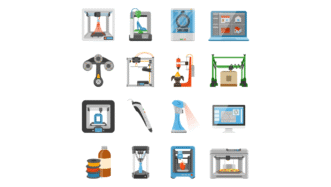
Students engage in talking about how devices work in this lesson! They practise action verbs for devices, watch a video on 3D food printing and imagine new devices to solve everyday problems.

ESL lesson on the first conditional
B1 / Intermediate | B2 / Upper Intermediate
Standard Lesson 60 min

Driverless buses (First Conditional)

Grammar Technology

Students discuss driverless buses in this ESL lesson on the first conditional. They watch a video about autonomous buses, share opinions and practise different First Conditional structures. 

speaking lesson on drones
B2 / Upper Intermediate | C1 / Advanced
Speaking Class 45 min / 60 min

Drones everywhere

Technology

Chat about drones with this speaking lesson! Students discuss technology, watch a video about a drone light display and share their opinions. They can also review useful vocabulary with an extra task.

discussing social media
B1 / Intermediate | B2 / Upper Intermediate
Standard Lesson 60 min

How social media content affects us

Technology

Engage students in discussing social media! With this lesson, they practise vocabulary related to social networks, watch a video about a viral TikTok moment and talk about social media habits. Students also read and discuss social media stories.

B2 / Upper Intermediate | C1 / Advanced
Critical Reading Club 45 min

Image-based reality

Global Issues Technology

Talk about the power of online images! With this lesson, students read an article about how online images shape the way we think and revise vocabulary. They also talk about bias in online images and AI-generated content.

speaking lesson on AI partners
B1 / Intermediate | B2 / Upper Intermediate
Speaking Class 45 min / 60 min

In love with AI

Lifestyle Technology

Journey through the realm of relationships with AI! Students share their thoughts, discuss how humans interact with AI and watch a video on AI as romantic partners. They also debate AI’s impact on human connection.

practise passive forms
B1 / Intermediate | B2 / Upper Intermediate
Standard Lesson 60 min

Preventing identity theft (passive voice)

Grammar Technology

Practise passive forms with this lesson on identity theft! Students discuss online protection and share opinions about online safety. They also watch a video about identity theft and read texts on how technology impacts digital crime.

Show more lessons

Questions

Title separator

Is there a minimum subscription period if I choose a monthly subscription?

No, there's no minimum required number of subscription months. You can cancel any time you want. Basically, you can sign up and then cancel your subscription the next day, which will mean you have access for 1 month and won't be charged again.

What currencies can I pay in for my subscription?

Our default currency is USD (American dollar), but you can also pay in EUR (euro), GBP (British pound sterling) or PLN (Polish zloty). You can change the currency you want to pay in at the Pricing page before selecting a subscription plan.

How can I edit an e-lesson plan?

You can get your own editable copy of an e-lesson plan and make changes to it. To do so, either (1) make a copy of it on your Google Drive (preferable method) or (2) download it in a Powerpoint format (but formatting might be a bit off so we can’t guarantee that it will work well).
Read more FAQ
Title separator

ESL Brains

Forgot password?
or continue with
Title separator
Title separator
Close icon
Looking for the perfect gift? Give the gift of ESL Brains access!
Gift of ESL Brains access